
speechMaker Studio has been updated with the following changes and fixes today, April 28th, 2026.
New Features and Changes
Import Content to Script #12308
This version introduces a new import feature that allows you to import text to new or existing scripts. Supported import formats are:
- SSML (.ssml)
- CSV (.csv)
- Plain text (.txt)
In the Projects view, there is a new action in the side panel:
The import wizard will guide you through the import process. Open the documentation to get more information about the expected import formats.
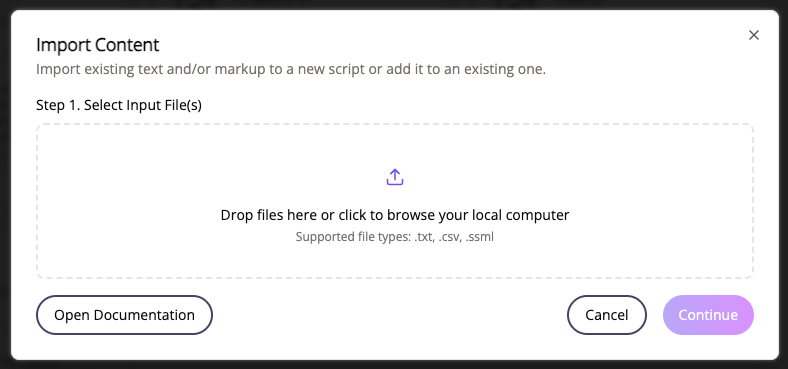
The imported text will show up in the studio as text blocks.
You can also import content to a script from inside the studio by clicking on the Add Content button at the top:

Export Separate Files #12315
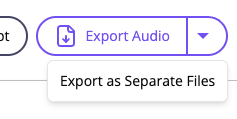
We have added a new Export flow for exporting text blocks as separate voice files. Access the feature by clicking on the arrow next to the Export Audio button and then Export as Separate Files:
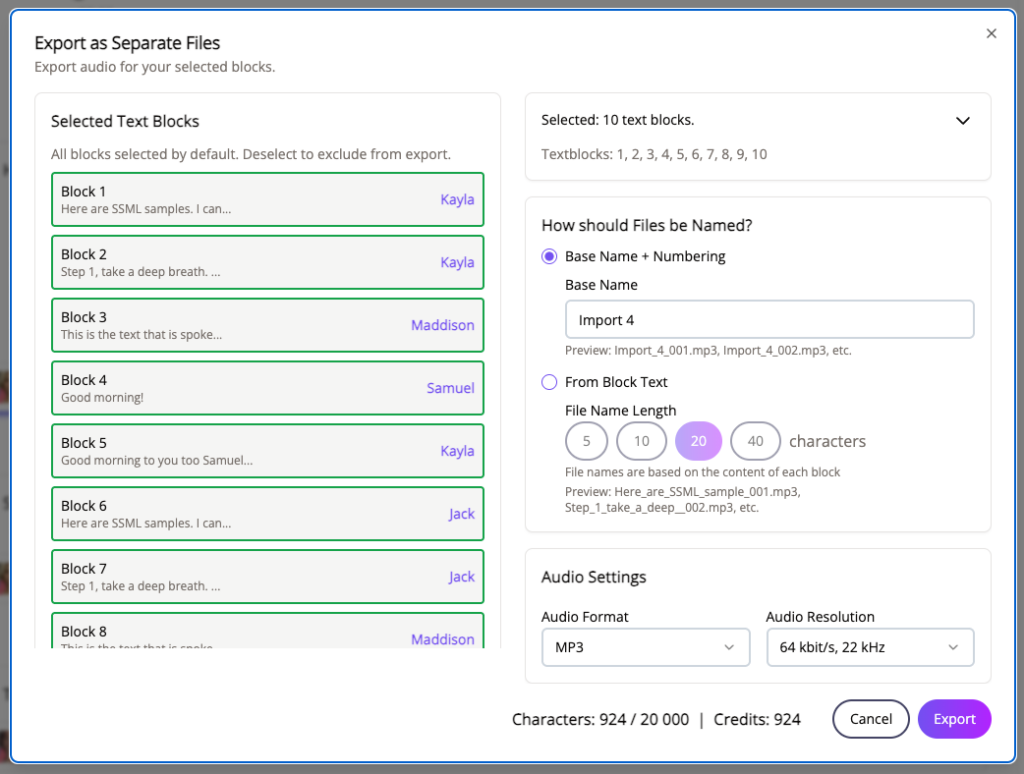
You can select individual text blocks as well as choose which naming convention to use for the exported voice files. The voice files will be compressed and downloaded as a zip file.
Export Single Text Block
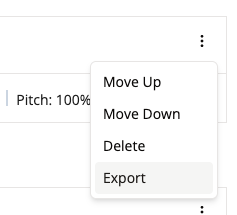
We have added a menu item for exporting a single text block from the studio. Click on the three dots to open the text block menu and select Export. #11358
Extended Validity of Verification Link
Verification links are now valid for 10 days after signing up for speechMaker Studio. #12317