
The ReadSpeaker for Brightspace extension (Manage Extensibility > Extensions) has been updated. This release includes some important changes.
Release Date: The changes have been submitted for review and will be available as soon as they have been approved.
Notable Corrections
Add the Listen Button to Survey Pages
This version introduces support for Survey pages, which were previously not possible to read aloud. #10918
Default Reading Language Does Not Follow Course Language
The default reading language was incorrect when the course language was set to anything but English. This has now been fixed. #11604
Option to set Script Version to ‘Latest’
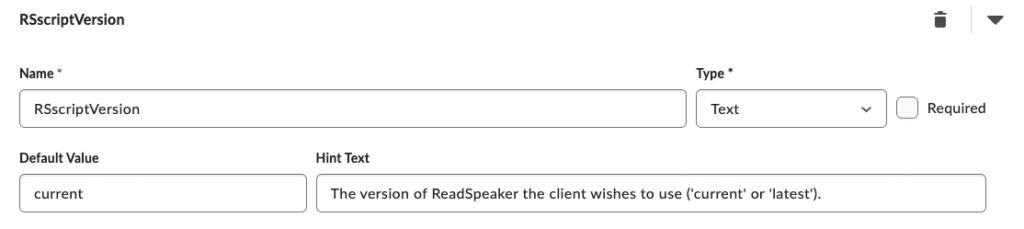
A new setting, RSscriptVersion, has been introduced in the Brightspace extension editor for the ReadSpeaker webReader extension. This enables customers to select which webReader version to use in the Brightspace instance. #11605
current= The version that’s selected in ReadSpeaker’s Admin Portal, normally the version you want to use in production.latest= The latest version, normally the newest available version that you want to test in staging before it’s rolled out in production.